
iMac 27″ Late 2013 PCIe SSD Upgrade
iMac 27″ Late 2013 PCIe SSD Upgrade – Turning an Old iMac into a Monster
🖥 Mac Upgrade
⏱ 3 min read
Is your iMac taking forever to start up, open apps, or load a web page? There’s a good chance the problem isn’t the computer itself — it’s the old spinning hard drive inside it.
On this job, we upgraded a customer’s 27″ Late 2013 iMac with a PCIe SSD — and the difference was night and day.
Why a PCIe SSD?
This iMac model has a hidden bonus: a PCIe SSD slot on the logic board, separate from the regular hard drive bay. That gave us two big advantages:
- ✓ Faster than a regular SSD – a PCIe SSD connects directly to the logic board and can run roughly 2–3× faster than a standard 2.5″ SATA SSD
- ✓ Keep the original hard drive – it stays inside the iMac as extra storage for photos, music, and backups
⚠ Not a simple job
The PCIe slot is on the back of the logic board. To reach it, the glued-on display has to come off and the entire logic board has to be removed.
That’s a lot of delicate cables, connectors, and adhesive — not something to try at home with a YouTube video and a guitar pick.
The upgrade process
- 1 Remove the display – carefully cutting the factory adhesive
- 2 Remove the logic board – to reach the PCIe slot on the back
- 3 Install the PCIe SSD – and reassemble everything
- 4 Clone the old hard drive – all files, apps, and settings moved over to the new SSD
- 5 Reseal the display – with new adhesive strips
- 6 Full testing before return – boot speed, both drives, and overall performance verified
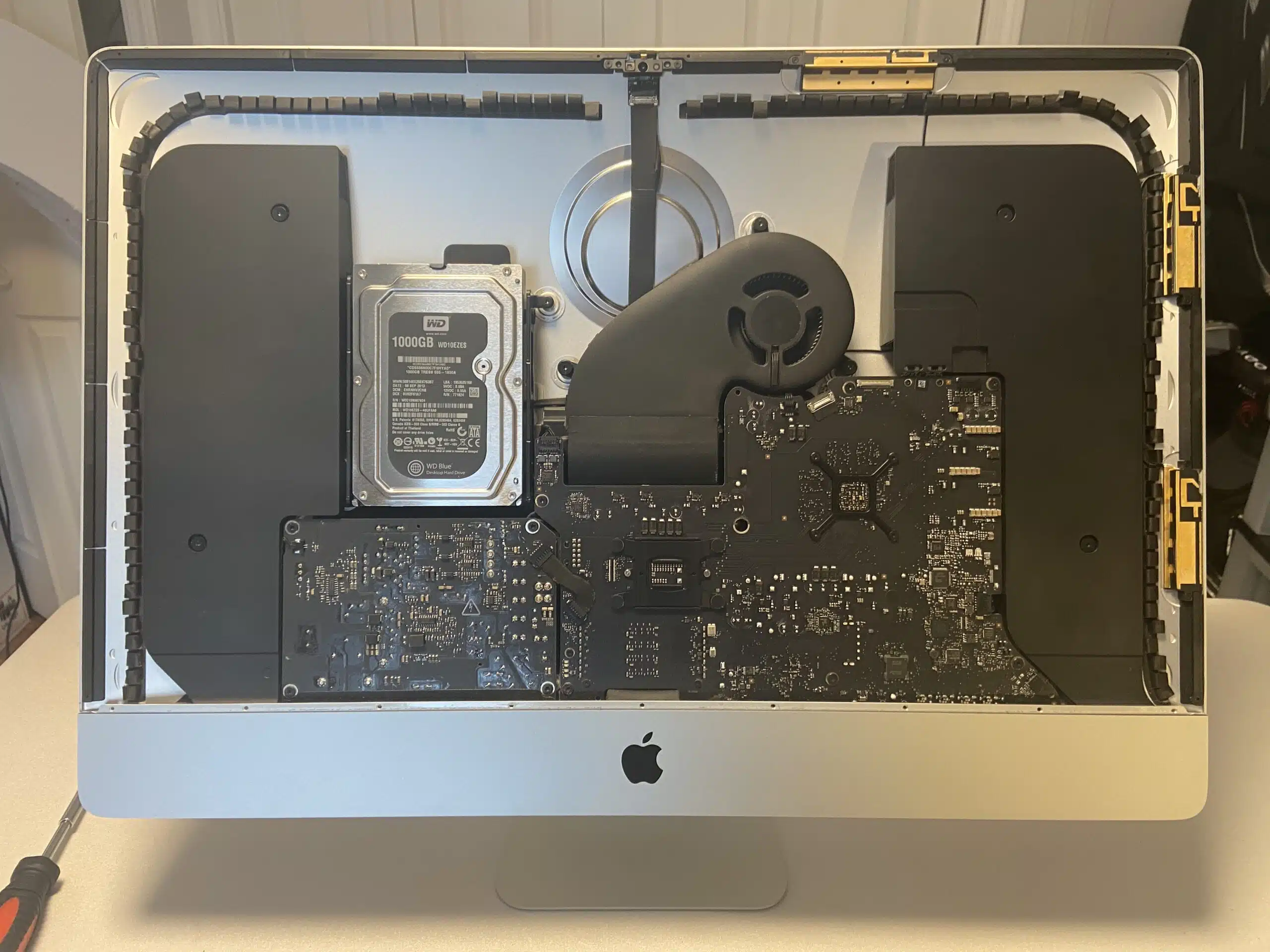
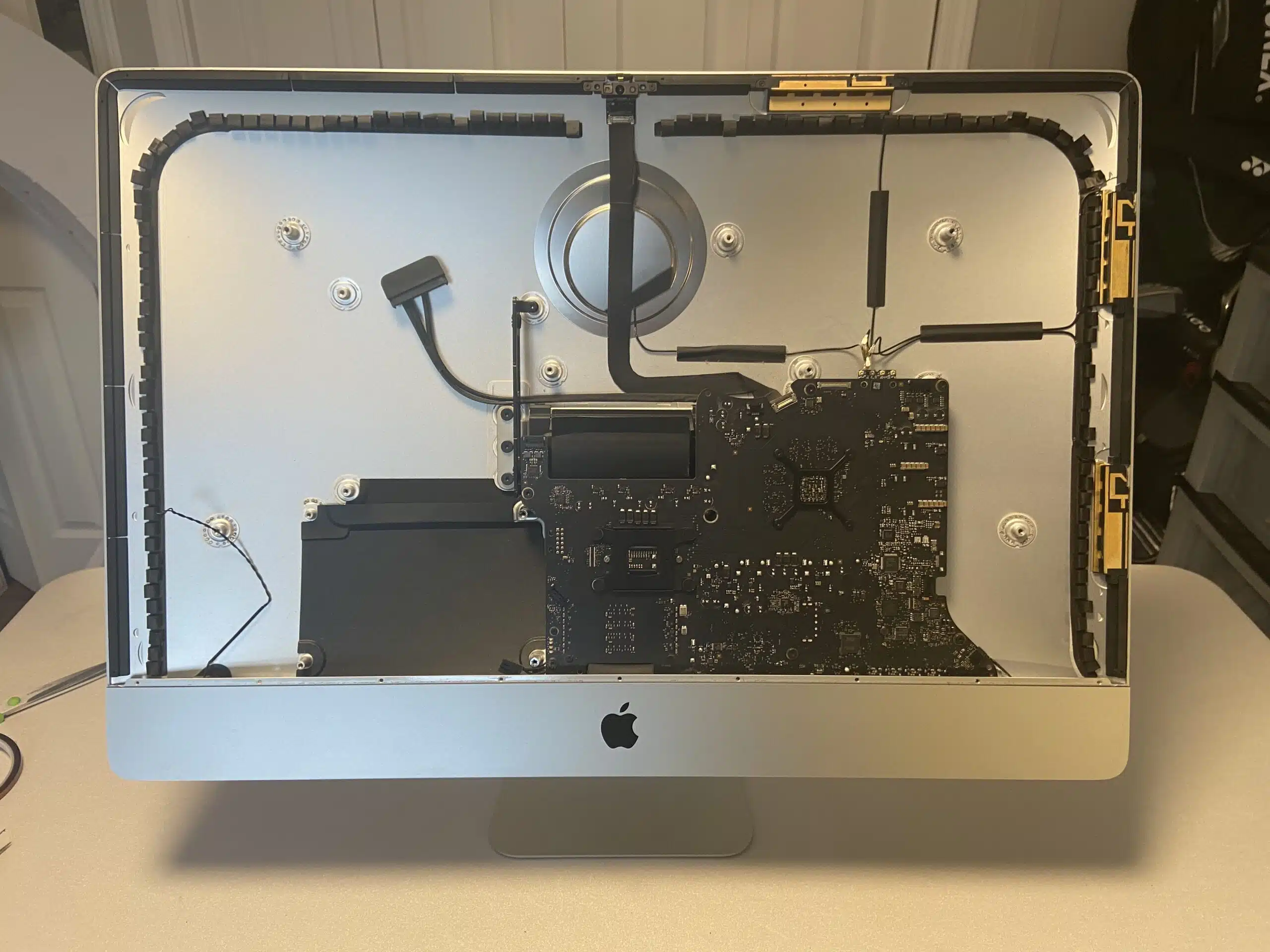
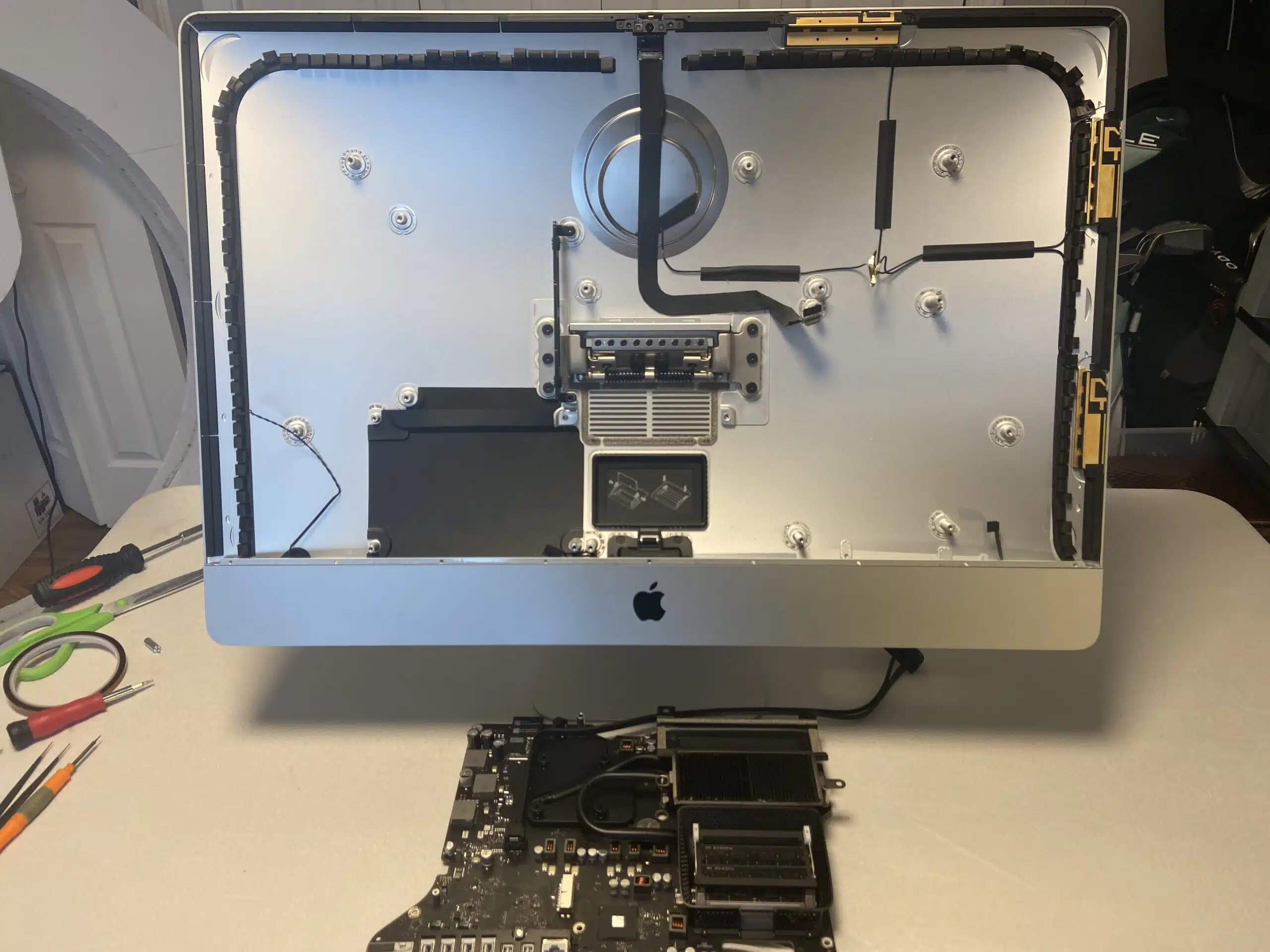
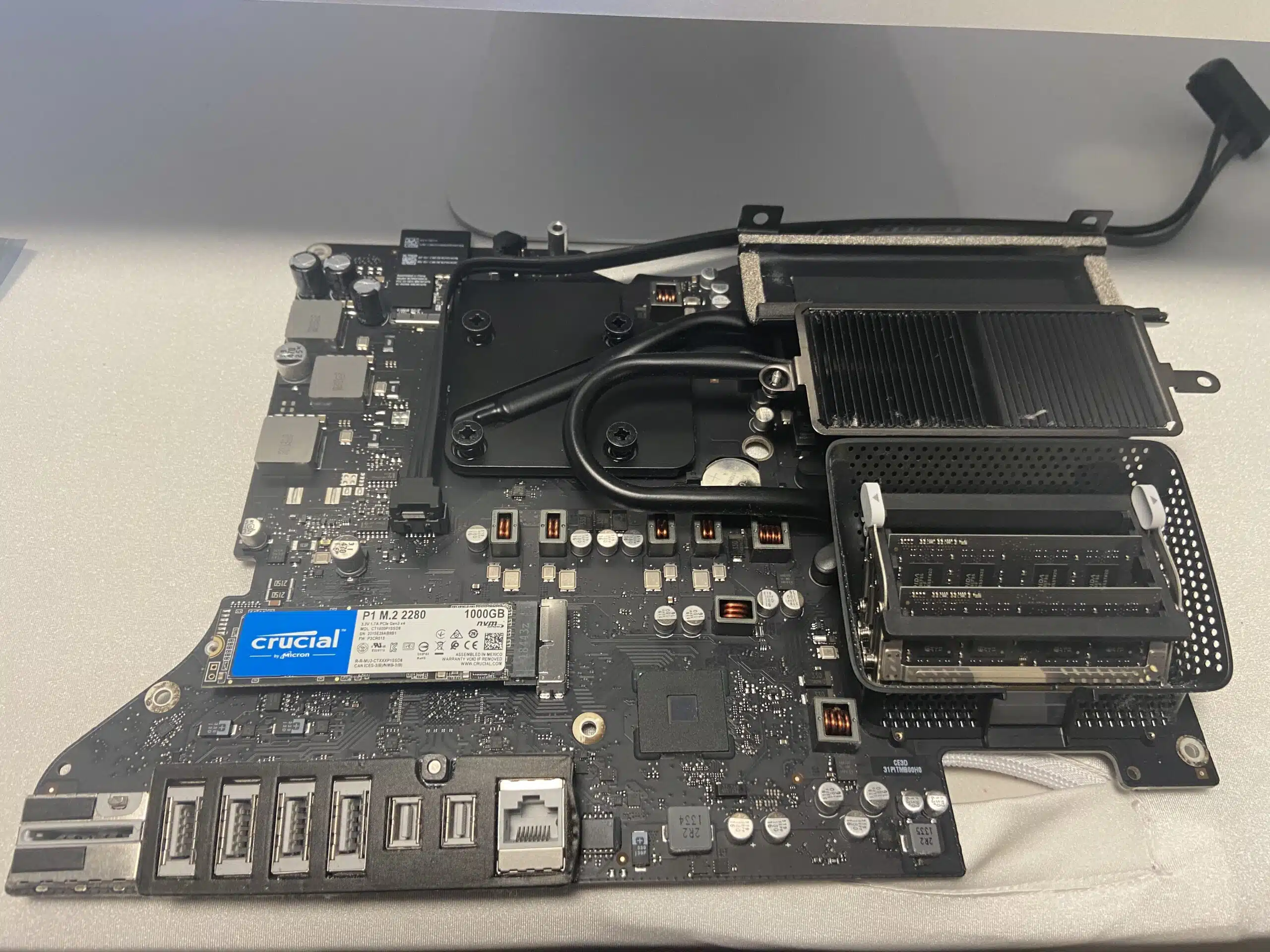
The result: a monster iMac 🚀
- ✓ Boots in seconds – instead of minutes
- ✓ Apps open instantly – no more spinning beach ball
- ✓ Nothing lost – every file and setting exactly where the customer left it
- ✓ More storage – the original hard drive is still there as a second drive
Another happy customer — and a beautiful 27″ iMac saved from the landfill. 🌎
💡 Is your Mac a good candidate?
Many older Intel iMacs, Mac minis, and MacBook Pros that shipped with a spinning hard drive can get a huge speed boost from an SSD upgrade — and often a memory upgrade too.
Not sure which Mac you have? Use our Apple Model Identifier, or just give us a call and we’ll tell you what your Mac can handle.
Why choose JS Information?
- ✓ Mac upgrade specialists – SSD, memory, and full-disassembly jobs other shops avoid
- ✓ Your data, safely moved – we clone your drive so nothing is lost
- ✓ 16+ years in electronics repair – serving Moncton since 2010
- ✓ Free quotes – honest, upfront pricing before any work starts
✓ Old Mac running slow?
An SSD upgrade can make it feel brand new. Call today for a free quote!
Serving the Greater Moncton Area
Located at 2 Inglewood Street in Moncton, NB. We provide iMac and Mac SSD upgrades to Moncton, Dieppe, Riverview, and surrounding communities.
#SSDUpgrade
#PCIeSSD
#MacRepair
#iMac2013
#MonctonNB
#JSInformation
