iMac & Macbook SSD and Memory Upgrades
Give Your Old MacBook or iMac a BIG Performance Boost – SSD & Memory Upgrades
🚀 Mac Upgrades
⏱ 4 min read
Is your MacBook or iMac crawling along — slow to start, slow to open apps, spinning beach ball every few minutes? And you’re not ready to spend $2,000 or more on a new one?
You might not need to. On many older Macs, an SSD and memory (RAM) upgrade can make the computer feel several times faster — for a fraction of the price of a new machine. Let us show you how.
Why upgrade to an SSD?

A traditional hard drive (HDD) stores your data on spinning platters read by a tiny moving head. It’s slow, and with so many moving parts, a lot can go wrong — including losing your important files.
A solid state drive (SSD) uses flash memory instead, with no moving parts at all. Here’s what that means for you:
- 1 Much faster – a SATA SSD reads and writes roughly 5–6× faster than a hard drive, with near-instant access. Your Mac boots in seconds and apps open right away.
- 2 More durable – no moving parts means far better resistance to bumps, drops, and vibration, especially in a laptop
- 3 Better battery life – SSDs use less power, so your MacBook lasts longer off the charger
- 4 Silent and cooler – no clicking or whirring, and less heat inside the computer
Why add more memory (RAM)?
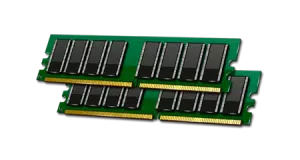
Your Mac uses memory for almost everything it does — every app, every browser tab, every open file. When there isn’t enough, macOS has to constantly shuffle data back and forth to the drive, and everything slows down.
Signs you need more memory
- ✓ Slow to start up – and slow to settle down once it does
- ✓ Everyday tasks lag – apps take forever to open or stop responding
- ✓ Multitasking grinds to a halt – switching between apps or browser tabs is painful
- ✓ Freezes and beach balls – especially when opening a new program
- ✓ “Your system has run out of application memory” – macOS is telling you directly
💡 Quick check: open Activity Monitor
Open Activity Monitor (in Applications → Utilities) and click the Memory tab. If the Memory Pressure graph at the bottom is often yellow or red, your Mac is short on memory.
Better together
An SSD and a memory upgrade fix two different bottlenecks — so doing both at once gives you the biggest jump in speed. And since your Mac is already open on the bench, combining them saves you time and money.
Our upgrade process
- 1 Check your model – we confirm what your Mac supports and recommend the right upgrade
- 2 Install quality parts – a reliable SSD and compatible memory
- 3 Move your data – we clone your old drive so your files, apps, and settings are exactly where you left them
- 4 Clean it while it’s open – dust removal for better cooling
- 5 Full testing before return – speed, stability, and every drive and memory slot verified
⚠ Can my Mac be upgraded?
SSD and memory upgrades are possible on many older Intel-based MacBooks, MacBook Pros, iMacs, and Mac minis — especially ones that came with a spinning hard drive. Some models have memory soldered to the board, so only the storage can be upgraded.
On newer Apple Silicon Macs (M1 and later), the storage and memory are built into the chip and board, so they can’t be upgraded. Not sure which Mac you have? Use our Apple Model Identifier or just give us a call.
Why choose JS Information?
- ✓ Hundreds of Mac upgrades done – MacBooks, iMacs, and Mac minis
- ✓ Your data, safely moved – nothing lost in the switch
- ✓ 16+ years in electronics repair – serving Moncton since 2010
- ✓ Honest advice – if an upgrade isn’t worth it for your Mac, we’ll tell you
Want to see an upgrade in action? Check out our Mac repair services.
🚀 Don’t buy a new Mac yet!
Call today and we’ll tell you if an SSD and memory upgrade is right for your Mac.
Serving the Greater Moncton Area
Located at 2 Inglewood Street in Moncton, NB. We provide Mac SSD and memory upgrades to Moncton, Dieppe, Riverview, and surrounding communities.
#SSDUpgrade
#RAMUpgrade
#MacBookPro
#iMac
#MonctonNB
#JSInformation
