
I Fell for the Fake “Customs Fee” Delivery Scam
I Fell for the Fake “Customs Fee” Delivery Scam – Here’s How It Works
🚨 Scam Alert
⏱ 5 min read
I fix phones and computers for a living. I see scams every week on customers’ devices. And this week, I got scammed.
I’m sharing exactly what happened, because if it can fool someone who works in tech every day, it can fool anyone. Hopefully this saves you, or someone in your family, from the same headache.
What happened
I was waiting on two small packages from China, the kind that can sometimes come with a small duty fee. They were being delivered by Intelcom, the same courier that delivers a lot of online orders here in Canada.
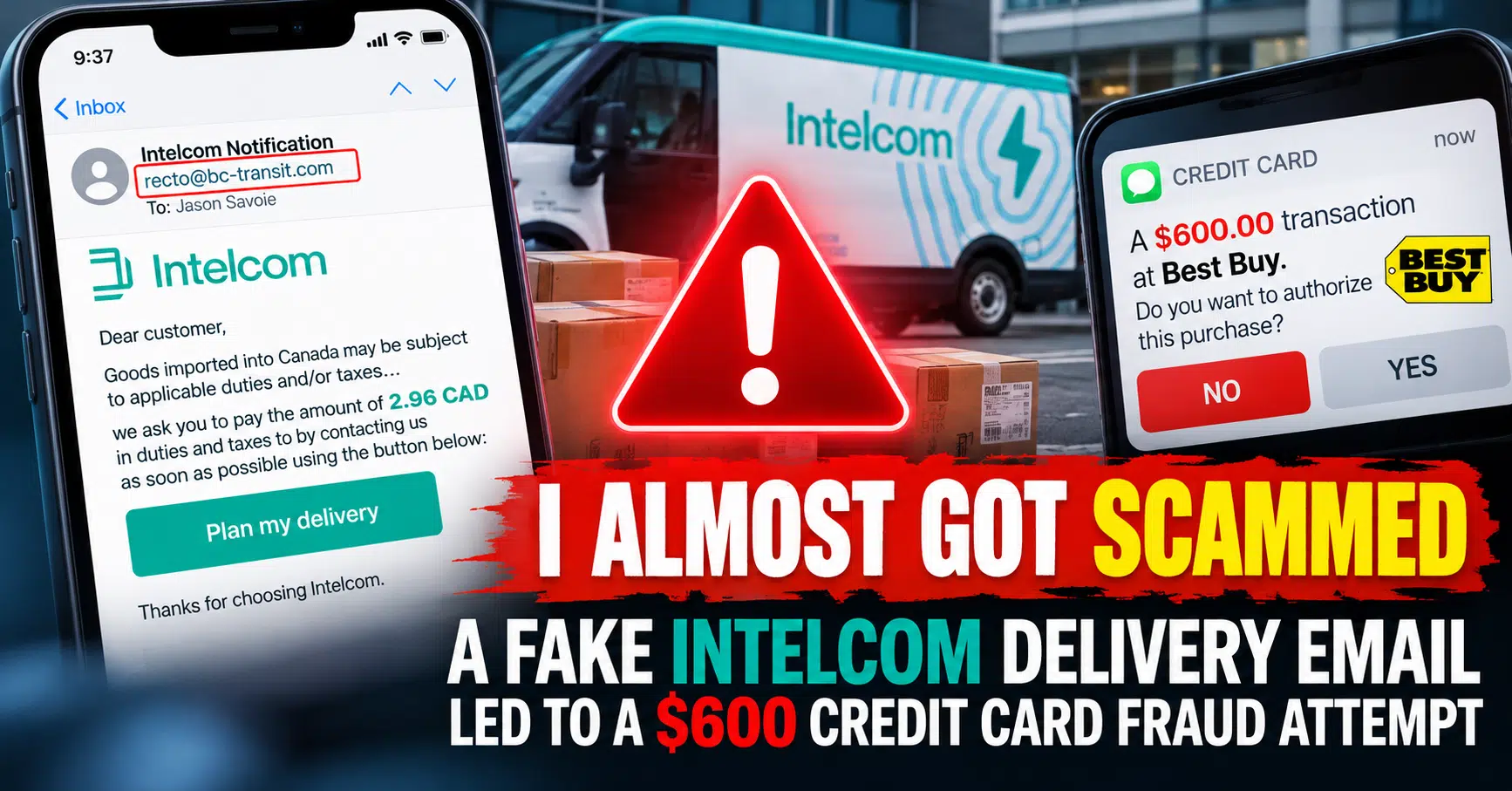
Then I got an email that looked like it came from Intelcom. It said my parcel was held by customs and I owed a small fee: $2.96. Totally believable for two cheap packages.
- 1 I clicked the button and landed on a page with Intelcom’s logo and delivery trucks.
- 2 It asked a strange question first (“What month is it?”), then my info and credit card to pay the $2.96.
- 3 After “paying”, it asked me to enter a confirmation code they would send by text or email. The code never came.
- 4 Two minutes later, my credit card company texted me: was I trying to make a $600 purchase at Best Buy?
I wasn’t. I called my credit card company right away and cancelled the card.
🤔 “But how did they know I had a package coming?”
That was my first thought too. Most likely, they didn’t.
Scammers send these fake delivery messages to thousands of people at once. So many of us order online that a good chunk of those people really are waiting on a package, often from the same courier. For them, the message shows up at the perfect time and looks completely real. That’s exactly why this scam works.
Why the “code” step is so sneaky
The confirmation code wasn’t for the $2.96. While I was waiting on that page, the scammers were already using my card to try buying something expensive. Stores and banks often send you a one-time code to approve a big purchase.
If I had received that code and typed it into the fake page, I would have approved their $600 purchase myself. The tiny fee was just bait: what they really wanted was my card number, and that code.
❌ WHAT THE SCAM SAYS
“Your parcel is held by customs. Pay a small fee to schedule your delivery.”
✅ WHAT INTELCOM SAYS
“We never request payment or personal information in exchange for delivering your package.”
The red flags I missed
- 🚩 The sender’s email address – the name said “Intelcom”, but the actual address was from a website that had nothing to do with Intelcom. My email app even warned that it couldn’t verify the sender.
- 🚩 The website address – the page had Intelcom’s logo, but the address bar showed a completely different website, not intelcom.ca.
- 🚩 “Dear customer” – no name, no tracking number.
- 🚩 A weird question – “What month is it?” isn’t part of any real payment. It’s a trick to keep security scanners out.
- 🚩 A tiny amount – $2.96 is small enough that you don’t think twice. That’s the point.
- 🚩 A code request after paying – never enter a verification code on a page you got to from an email or text.
📲 How to tell a real Intelcom message
✅ Real Intelcom texts come only from 87225
✅ Real links only go to intelcom.ca
✅ Intelcom never asks for payment or personal information to deliver your package
If you already clicked or paid
- 1 Call your bank or credit card company right away – use the number on the back of your card. Ask them to cancel it and report it as compromised.
- 2 Check your statement – look for small “test” charges too, not just big ones.
- 3 Never share a code – if a code arrives that you didn’t ask for, don’t enter it or read it to anyone.
- 4 Change any password you typed in – and anywhere else you use that same password.
- 5 Report it – forward fake Intelcom messages to report-fraud@intelcom.ca, forward scam texts to 7726 (SPAM), and report it to the Canadian Anti-Fraud Centre.
- 6 Watch for follow-ups – scammers now know your email works, so expect more fake messages.
The best habit to get into
When you get a delivery message asking for money, don’t click the link. Open the courier’s website yourself, or use the tracking link from the store where you ordered, and check from there. If there’s really a fee, you’ll see it.
And turn on purchase alerts with your bank. That text about the $600 Best Buy charge is what saved me.
📣 Help spread the word
Share this with your family and friends, especially the ones who order online. One quick warning can save them a lot of stress.
Serving the Greater Moncton Area
Located at 2 Inglewood Street in Moncton, NB. We provide phone, tablet and computer repair to Moncton, Dieppe, Riverview, and surrounding communities.
#Phishing
#DeliveryScam
#OnlineSafety
#TechTips
#MonctonNB
#JSInformation
